
Dodo Mail
Architecting an integrated corporate command centre — transforming a standalone email client into the central nervous system of a broader enterprise communication ecosystem.
Overview
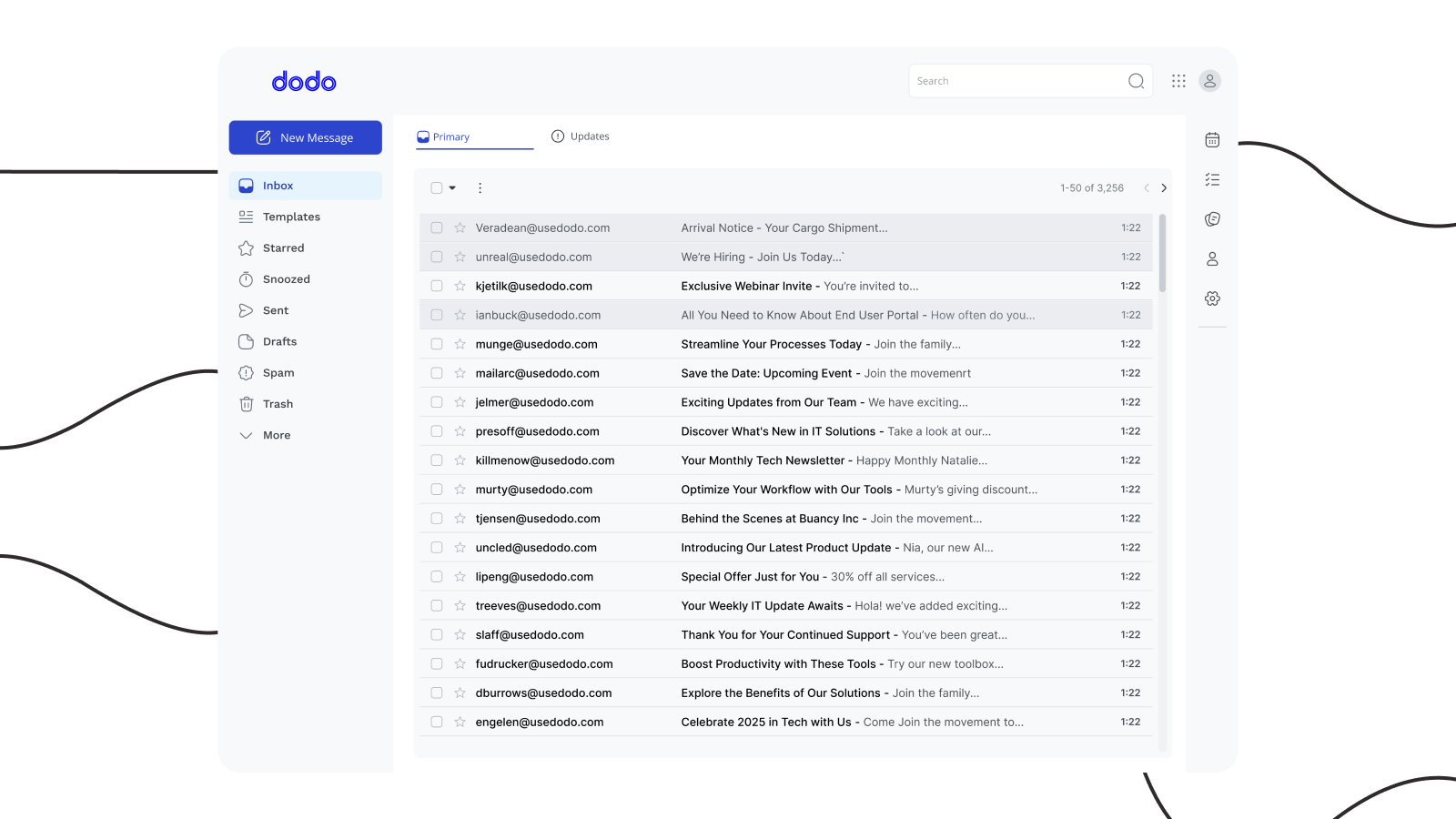
In the modern enterprise landscape, email is often criticised as a legacy burden. However, from a design perspective, the inbox represents the most critical touchpoint for organisational intelligence. My work on Dodo Mail was a strategic reimagining of the corporate cockpit.
Rather than building a standalone utility, I designed a high-velocity command centre that consolidates the fragmented pieces of professional life—emails, calendars, tasks, and notes—into a single, immaculate interface. This project was built with a clear vision: to transform Dodo Mail into the central nervous system of a broader communication ecosystem, eventually unifying it with Dodo Workspace (CRM), Workplace, Widget, Messenger, and Omni.
The Core Problem: Context Switching & Data Fragmentation
Organisations bleed productivity and customer insights when critical information lives in isolated silos—emails separated from chat threads, calendars disconnected from tasks, notes scattered across platforms.
By treating the email client not as a standalone tool, but as the sophisticated anchor of the Dodo ecosystem, I transformed a digital filing cabinet into a high-velocity command centre. My goal was to ensure that the communication structure within the organisation, from a quick chat in the mobile app to a formal dispatch on the desktop, was seamless, secure, and intuitive.
Designing the Architectural Vision
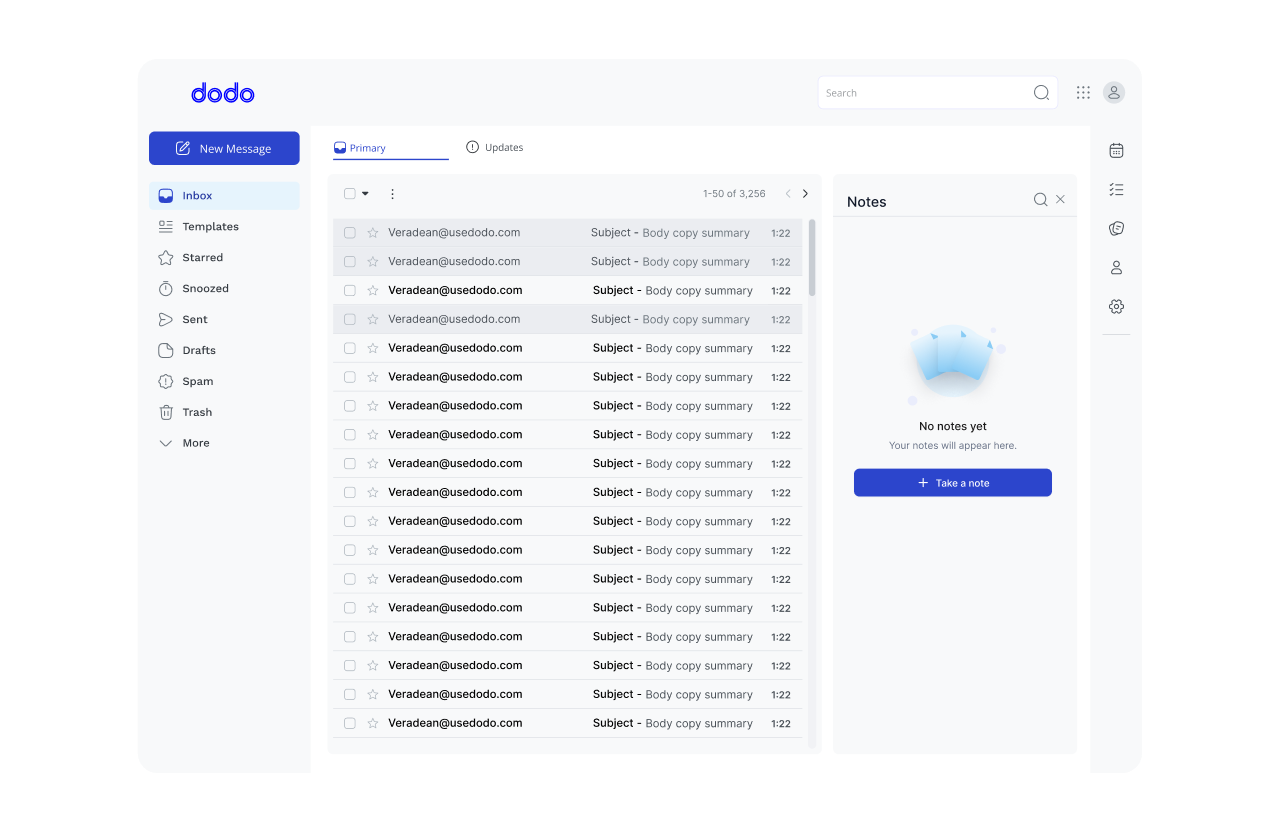
Most email clients fail because they bury essential tools behind deep navigation. My design philosophy for Dodo focused on Peripheral Utility—ensuring that while the core navigation (Inbox, Templates, Drafts) remained clean, high-value productivity tools were always one click away.
I implemented a dual-surface UI strategy:
Primary Navigation: Handles traditional email states (Inbox, Starred, Spam)
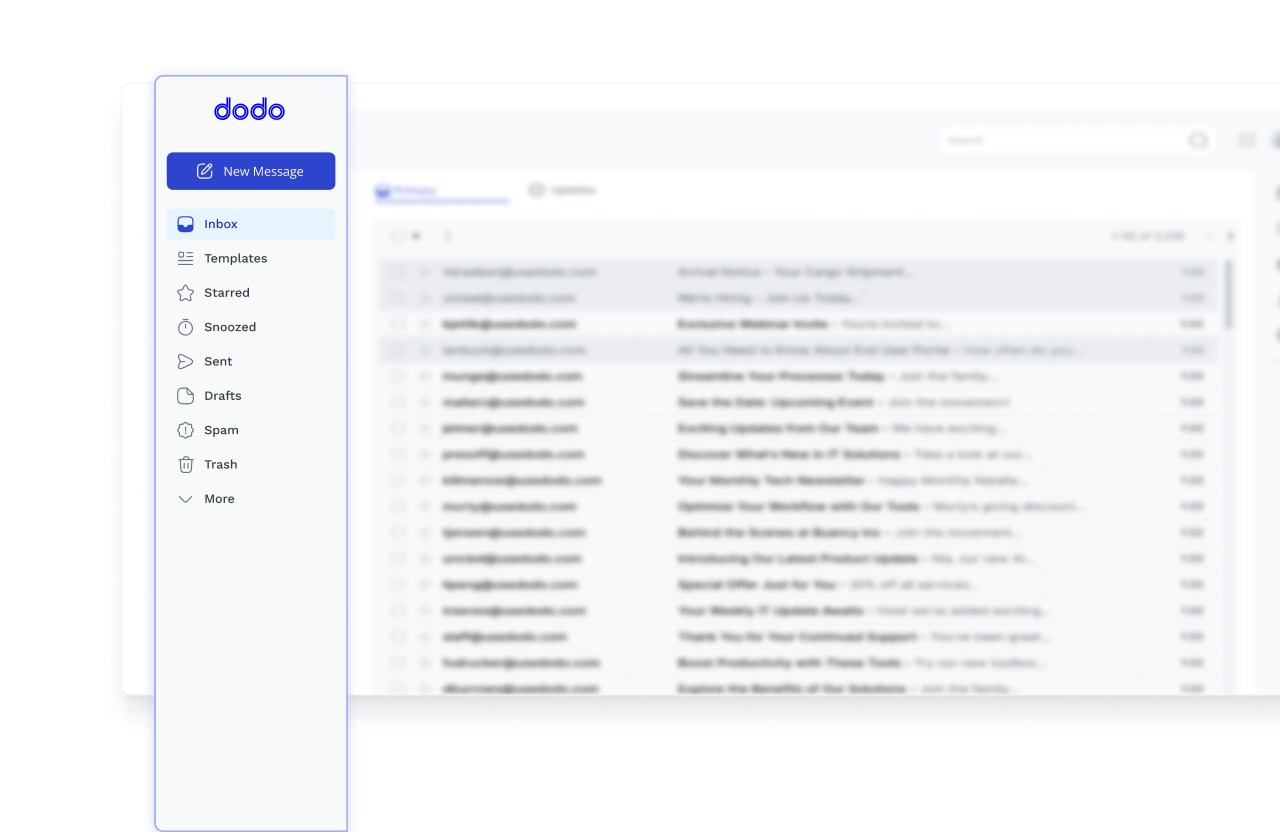
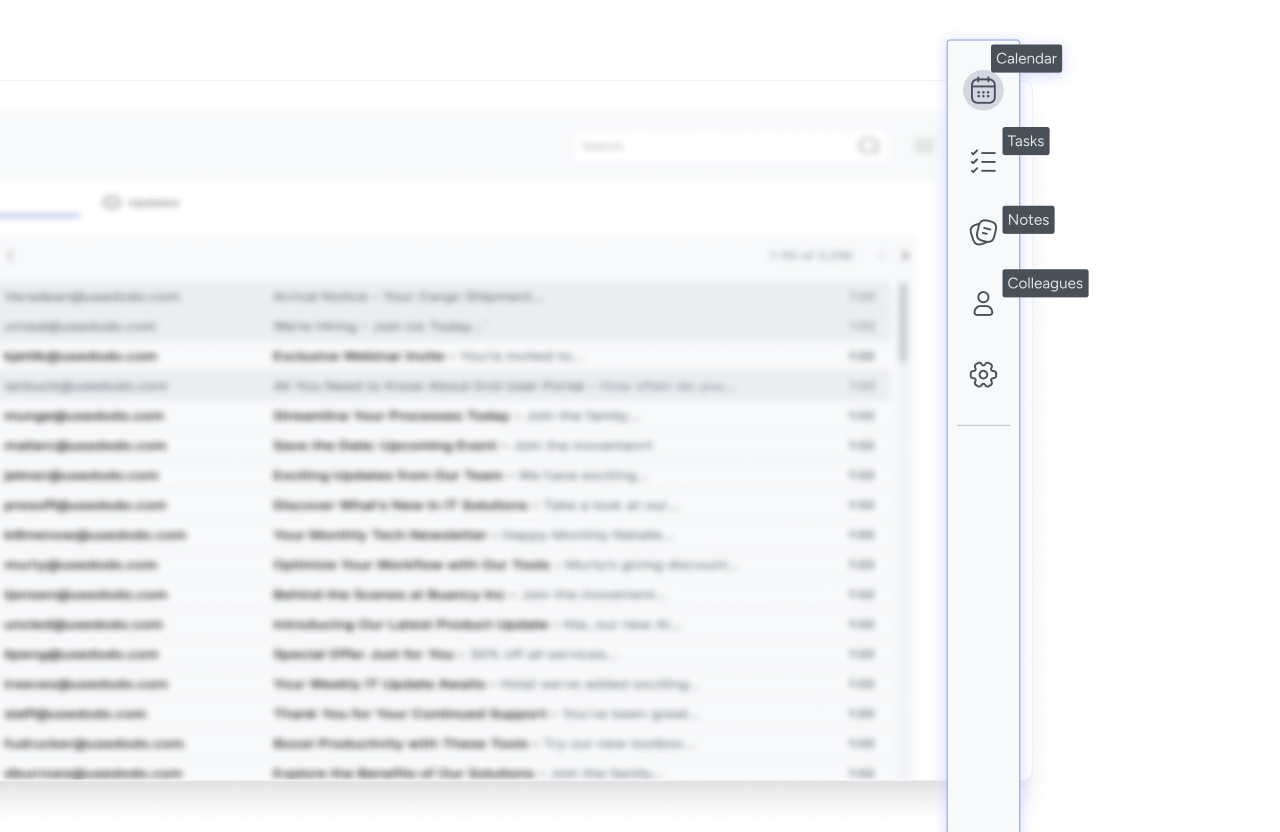
Secondary Utility Dock: Houses the “work” behind the communication:
- Integrated Calendar & Tasks: Turn a message into a deadline without leaving the screen
- Contextual Notes: Store internal thoughts on email threads, facilitating better handovers
- Live Directory: A colleague contact list that pulls real-time availability from the Dodo Workplace mobile app
Interaction Design
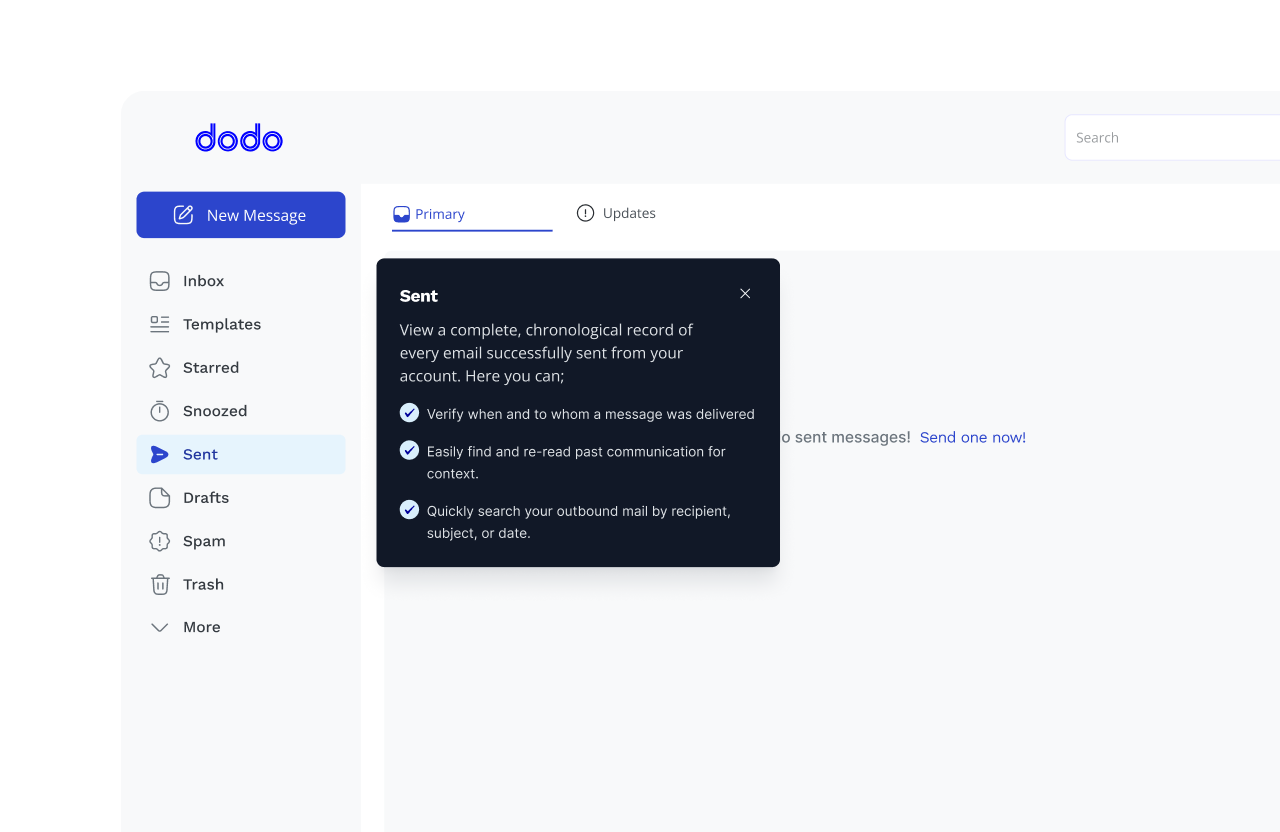
To achieve smooth email management, I treated micro-copy as a functional component, replacing generic system labels with action-oriented tooltips. For instance, the Sent Folder isn’t just an archive—it’s a tool to verify delivery and recall context.
This level of immaculate detail ensures that users navigate the suite with instinctive speed, reducing the cognitive load of enterprise communication.
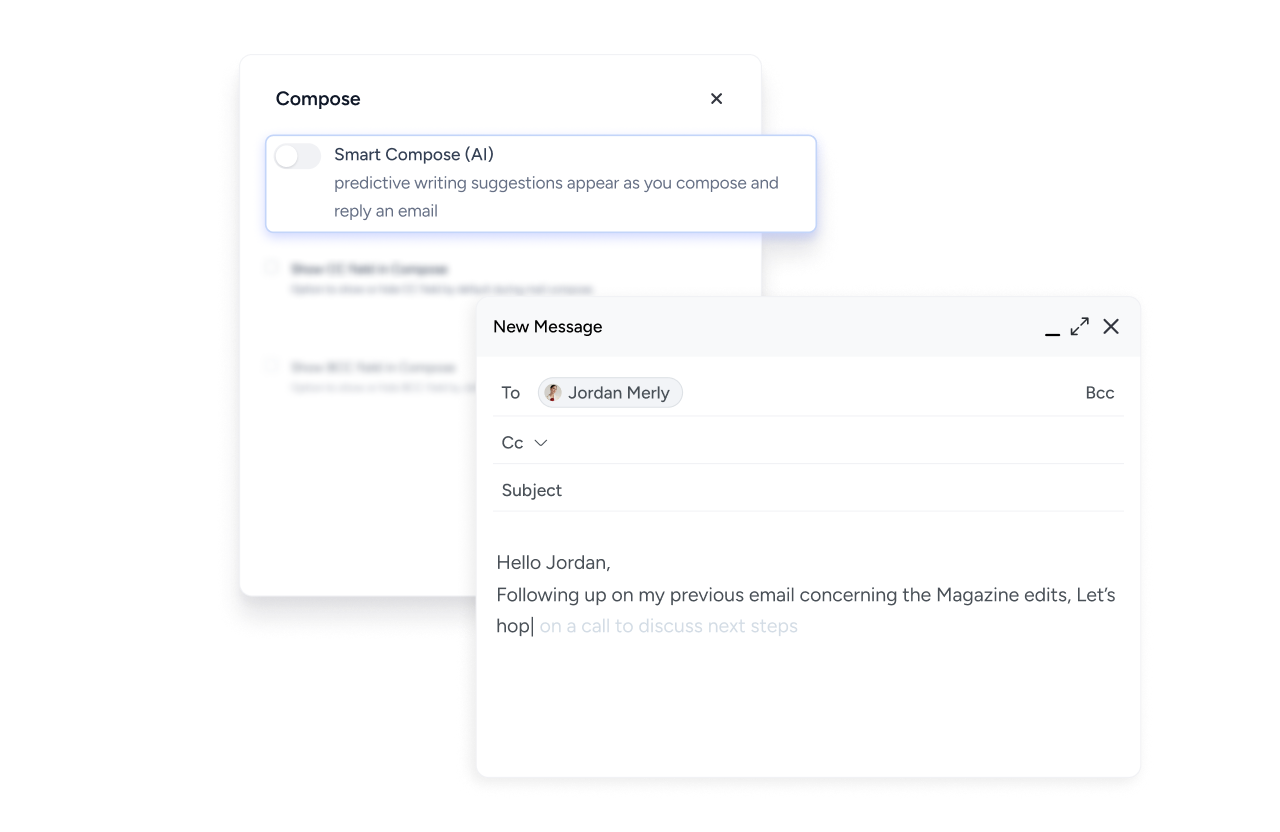
AI Challenges: Latency & Hallucination in Smart Compose
Integrating Smart Compose AI presented a critical performance challenge. If the AI suggestions lagged, they became a hindrance rather than a help.
To solve this, I designed a Ghost-Text Interaction Model that only triggers after a specific character threshold and uses the context of previous interactions to provide relevant suggestions. This reduced the noise of irrelevant suggestions and ensured that a lightning-fast, context-aware interface backed the “Smooth Email Management” promise.
Designing for Business Continuity
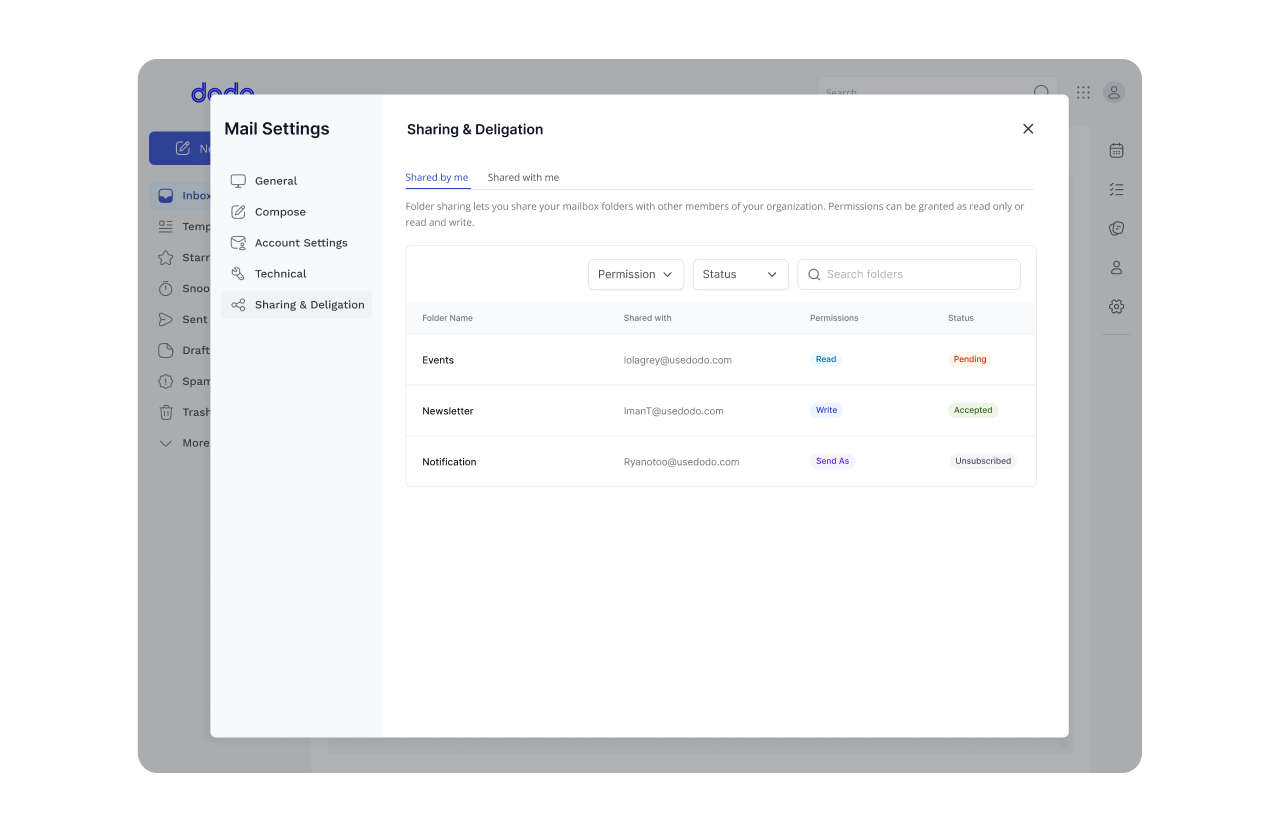
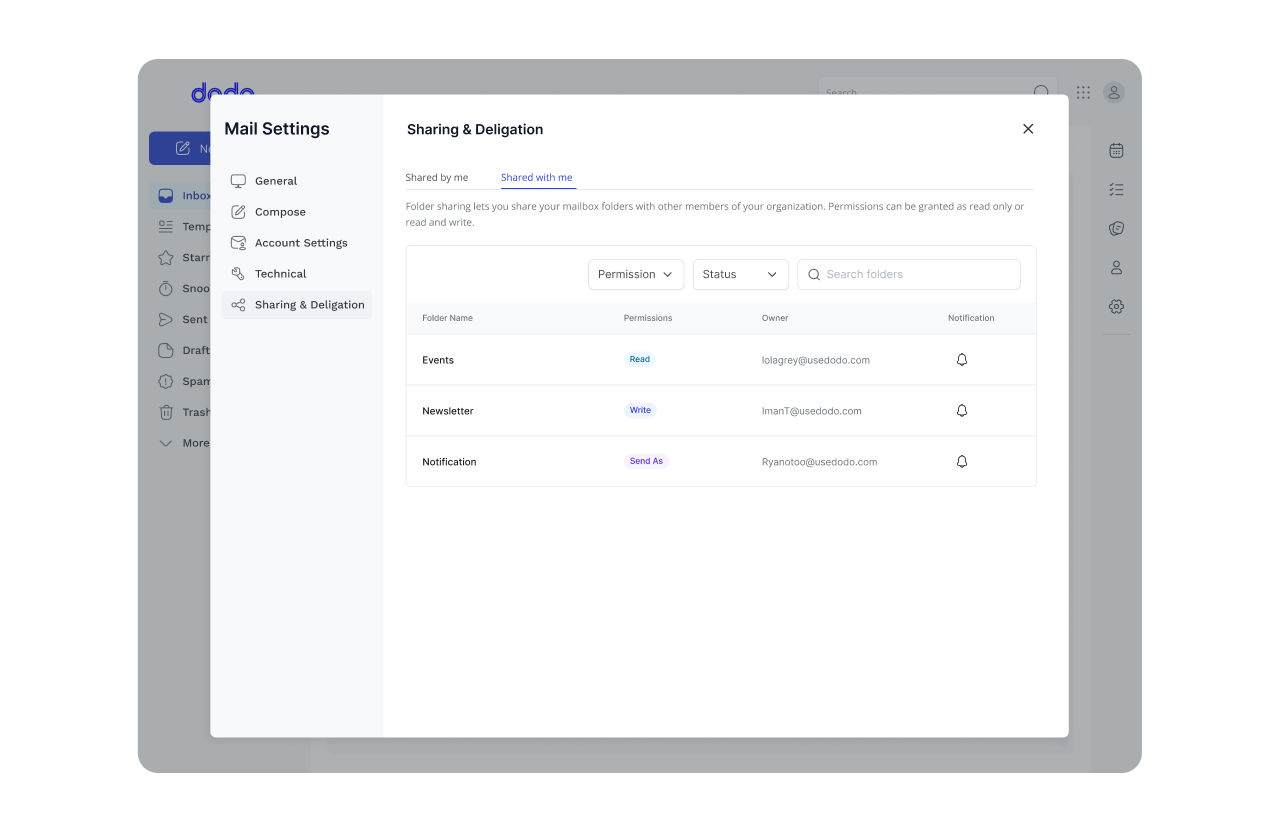
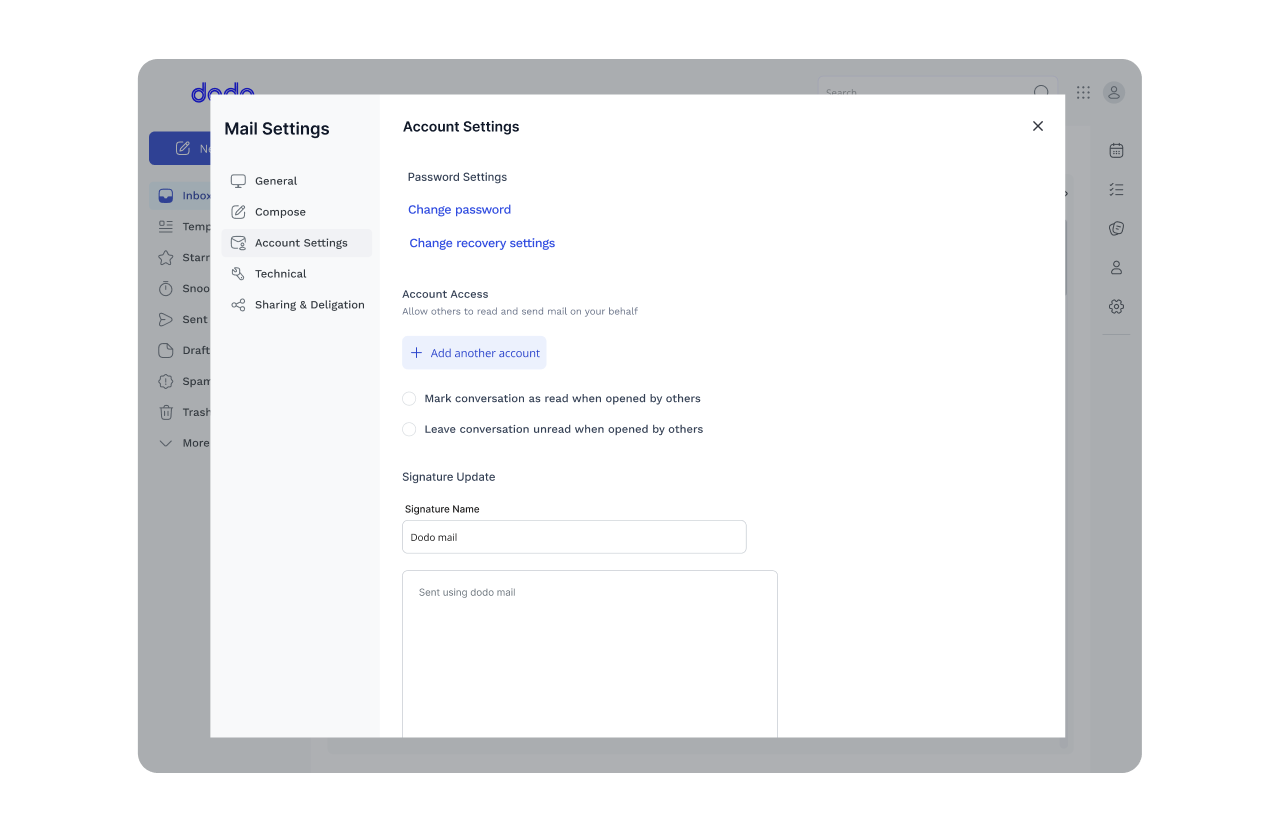
Recognising that the Dodo Suite is built for high-stakes corporate environments, I architected a Sharing and Delegation engine. This feature allows for seamless “Act-As” permissions, ensuring that business doesn’t stall when an executive is offline.
By distinguishing between personal privacy and organisational momentum, I built a system that supports the flow of the entire company, not just the individual user.
Impact
The transformation of Dodo Mail from a standalone email client to an integrated command centre delivered measurable improvements across key metrics:
Designing for the Future
Designing Dodo Mail was an exercise in anticipatory UX. As Dodo evolves from a standalone mail client into a comprehensive business suite, the interface must transition from a communication tool into a multi-dimensional data hub.
My roadmap focuses on the Docking strategy—ensuring new products integrate into the existing UI as natural extensions rather than disruptive additions. This modular approach prepares Dodo Mail to seamlessly absorb CRM, Workspace, and Omni integrations without compromising the core user experience.
Reflection
My work on Dodo Mail represents a shift from Interface Design to Ecosystem Architecture. By prioritising business continuity through delegation, reducing cognitive load with AI-assisted ghost text, and preparing a modular foundation for future integrations, I’ve built more than an email client.
I’ve built a scalable environment where communication and operations live in a state of smooth management. As a designer, the challenge isn’t just creating a tool that works—it’s creating a tool that evolves. Dodo Mail is designed to be the anchor of that growth.