
SMOOT
An innovative, AI-powered web-based video editing tool designed to streamline the editing process by automating the removal of silent sections from video content.
Overview
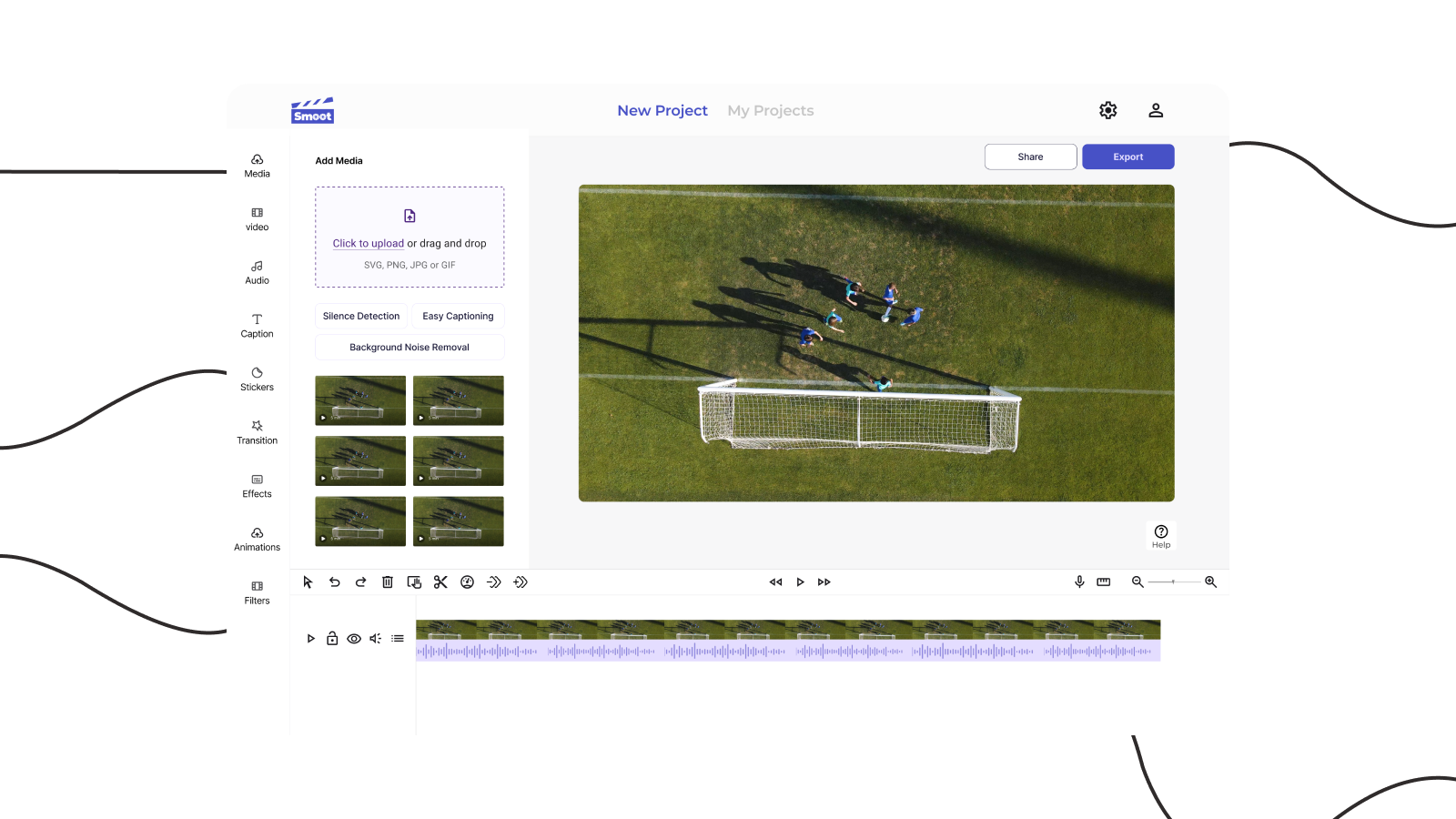
SMOOT is an innovative, AI-powered web-based video editing tool designed to streamline the editing process by automating the removal of silent sections from video content. It simplifies time-consuming tasks, enabling users to efficiently edit videos, regardless of their skill level. SMOOT’s user-friendly interface and advanced AI technology make it possible for content creators and video editors to produce polished videos faster, improving both productivity and video quality.
The Challenge
Content creators and video editors face a persistent, time-consuming challenge—manually removing silent sections from video footage. This tedious task consumes hours that could be spent on creative work, yet most existing video editing tools either overcomplicate the process or offer no automated solution at all.
The problem breaks down into several pain points:
- Manual silence detection requires scrubbing through entire timelines, frame by frame
- Complex professional tools overwhelm casual users with features they don’t need
- Repetitive editing tasks that should be automated still require manual intervention
- Inconsistent results from manual editing lead to quality variations
- Time inefficiency that bottlenecks content production workflows
Solution
SMOOT solves this through an intuitive, AI-powered video editing tool that automates silence detection and removal, making the process faster and more accessible. Whether users are seasoned editors or complete beginners, SMOOT allows them to complete projects with speed and precision.
The solution delivers:
- Automated silence detection using advanced AI algorithms that identify and flag silent sections
- One-click removal that instantly cleans up footage without manual scrubbing
- Intuitive interface designed for both beginners and professionals
- Fast processing that maintains video quality while optimizing workflow
- Flexible export options tailored to various platforms and use cases
The Design
This design required breaking down complex video editing workflows into intuitive, user-friendly modules. I focused on creating an interface that makes powerful AI functionality accessible without overwhelming users.
Core Foundation Modules
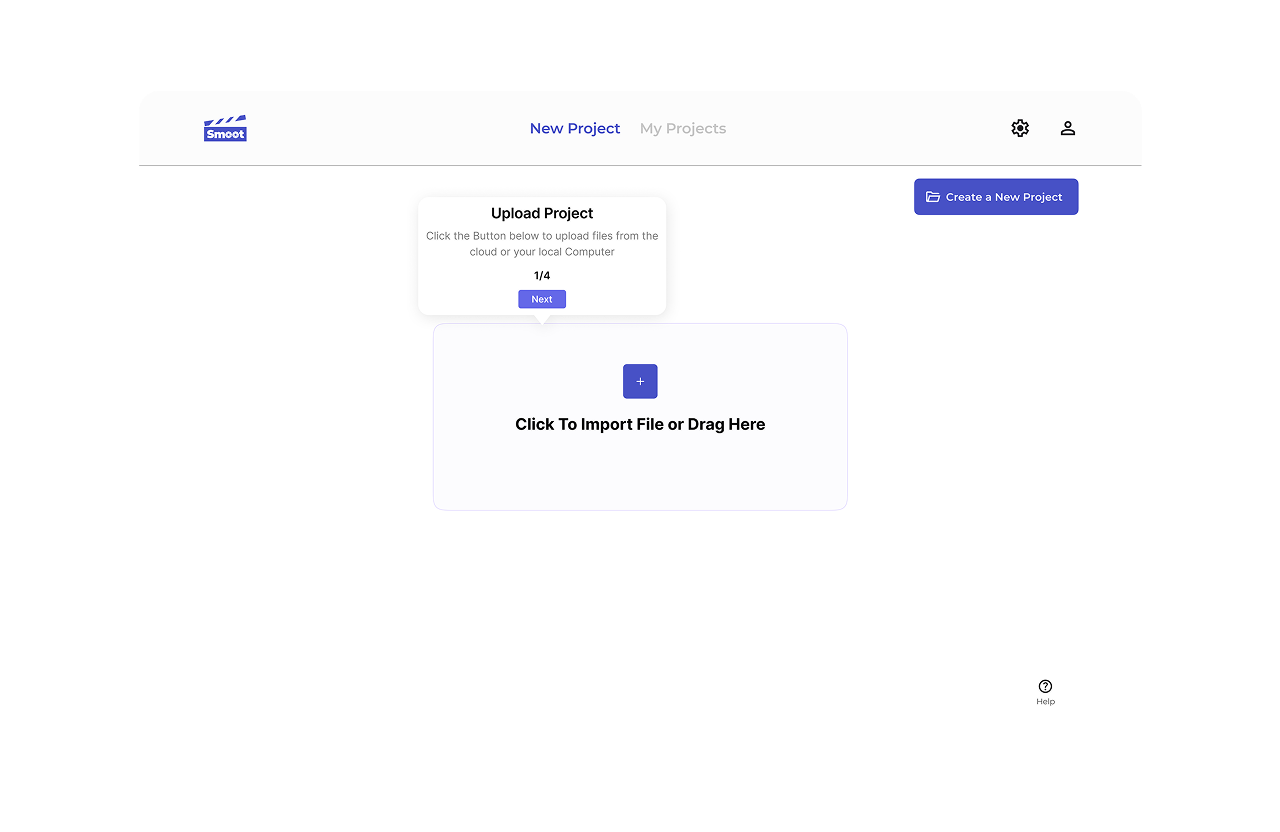
Onboarding Experience I designed a contextual onboarding module with strategic tooltips that introduce platform features progressively. Users learn as they work, reducing the learning curve without interrupting their creative flow.
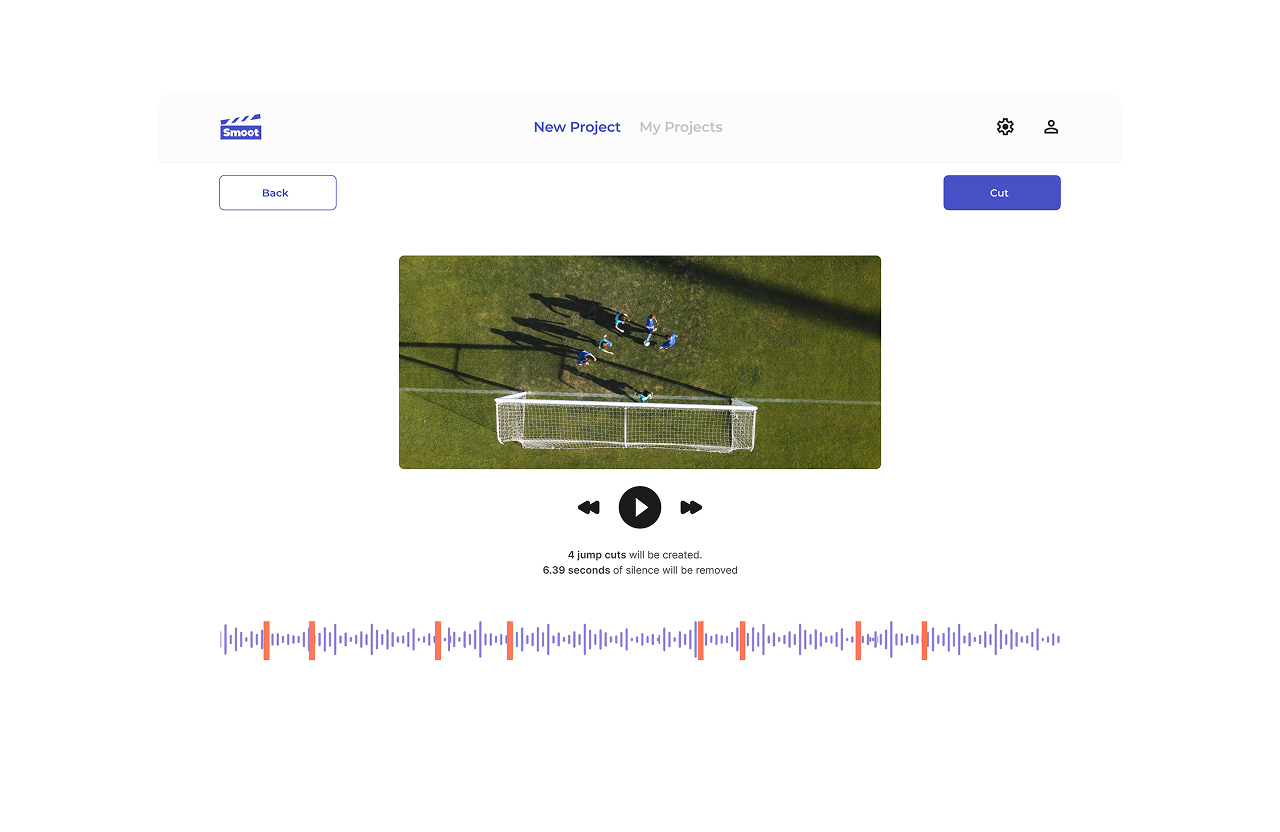
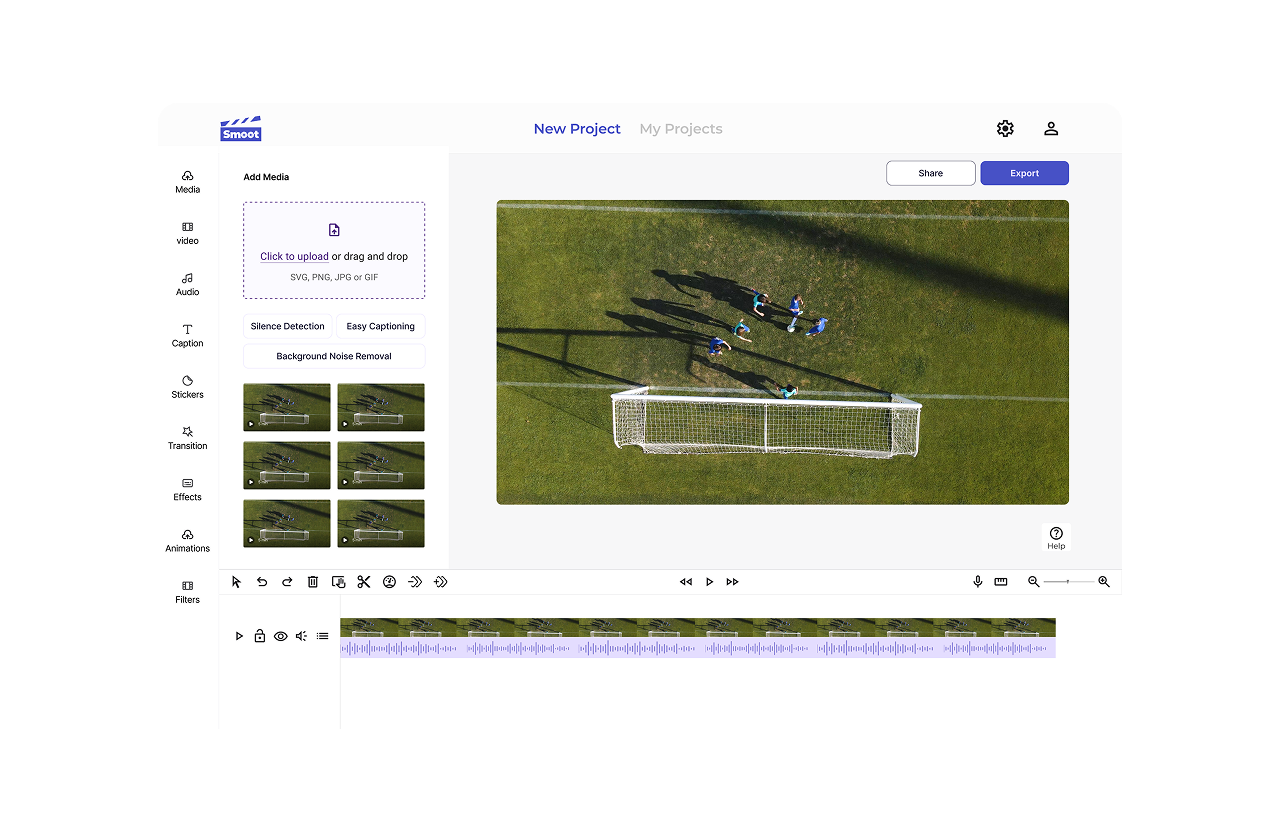
AI-Powered Silence Detection The core functionality sits at the centre of the interface—users upload their video and the AI automatically analyzes the timeline, highlighting silent sections with visual indicators. The detection is adjustable, allowing users to set sensitivity thresholds based on their specific needs.
Streamlined Editing Controls Beyond silence removal, I implemented basic video trimming and cutting tools that maintain consistency with professional editing software while simplifying the interaction model. Common actions require fewer clicks, and the timeline remains clean and readable.
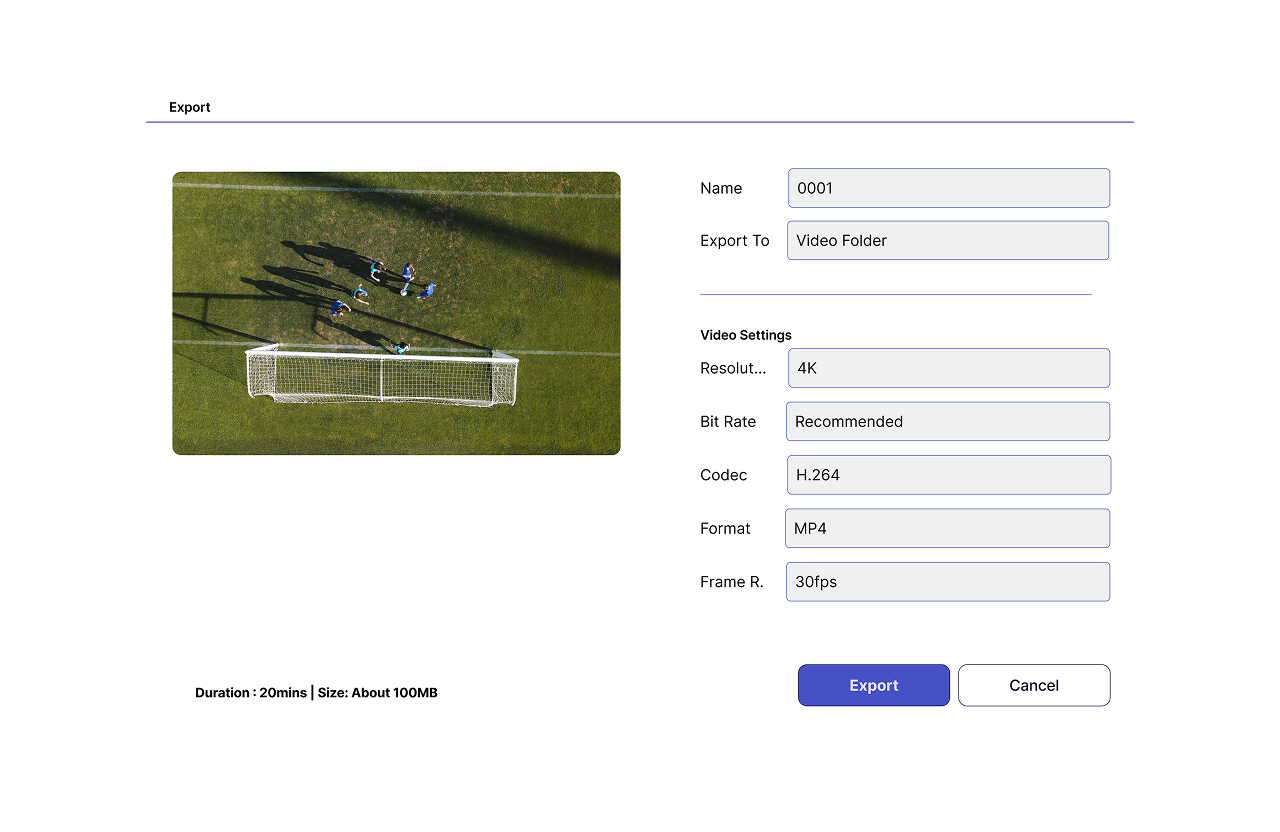
Export Optimization Export options are intelligently organized by use case—social media, professional output, quick sharing—with preset configurations that handle technical details automatically while allowing manual overrides for advanced users.
Design Considerations
Consistent Patterns I standardized navigation across all modules and ensured consistent action buttons and interactive elements throughout the experience. This consistency reduces cognitive load—users learn the interface once and can navigate confidently.
Visual Hierarchy I established a clear typography system optimized for information scanning, with important actions emphasized through strategic placement and visual weight. The timeline remains the focal point, while controls and options sit accessibly without cluttering the workspace.
Performance Feedback Video processing can take time, so I designed clear progress indicators and status updates that keep users informed. Processing states are visual and specific—“Analyzing audio,” “Detecting silences,” “Removing sections”—so users understand what’s happening at each step.
Impact
SMOOT transformed video editing efficiency for its users:
- Time savings of 60-70% on typical editing workflows through automated silence removal
- Reduced learning curve allowing new users to produce polished videos within minutes
- Consistent quality from automated processing that eliminates human error
- Increased productivity as editors focus on creative decisions rather than technical tasks
Key Takeaways
Automation Should Feel Invisible The best AI features are the ones users don’t have to think about. SMOOT’s silence detection works automatically while remaining adjustable—users get intelligent defaults with control when they need it.
Simplicity Without Compromise Professional-grade tools don’t have to look professional-grade intimidating. By focusing on the core workflow and hiding complexity behind intelligent defaults, SMOOT makes powerful editing accessible without dumbing it down.
Contextual Learning Works Rather than forcing users through tutorials, contextual tooltips teach features at the moment they’re relevant. Users learn by doing, which improves both retention and satisfaction.
Reflection
Designing SMOOT reinforced a critical lesson about product design—solving a specific problem exceptionally well beats building a tool that does everything adequately. Content creators don’t need another full-featured video editor. They need a tool that solves their most frustrating, repetitive problem: removing silence.
By focusing ruthlessly on this single use case and building AI automation around it, SMOOT delivers immediate value. Users can upload a video, click one button, and get a cleaned-up result. Everything else—the trimming, the export options, the timeline controls—exists to support that core workflow, not to compete with professional editing suites.
The four-week timeline demanded clarity about what mattered most. We couldn’t build every feature, so we built the ones that directly supported automated silence removal. That constraint led to a cleaner, more focused product than a longer timeline might have produced.